How the follow-up works

The card and the system behind it

Every card I hand out is a promise.

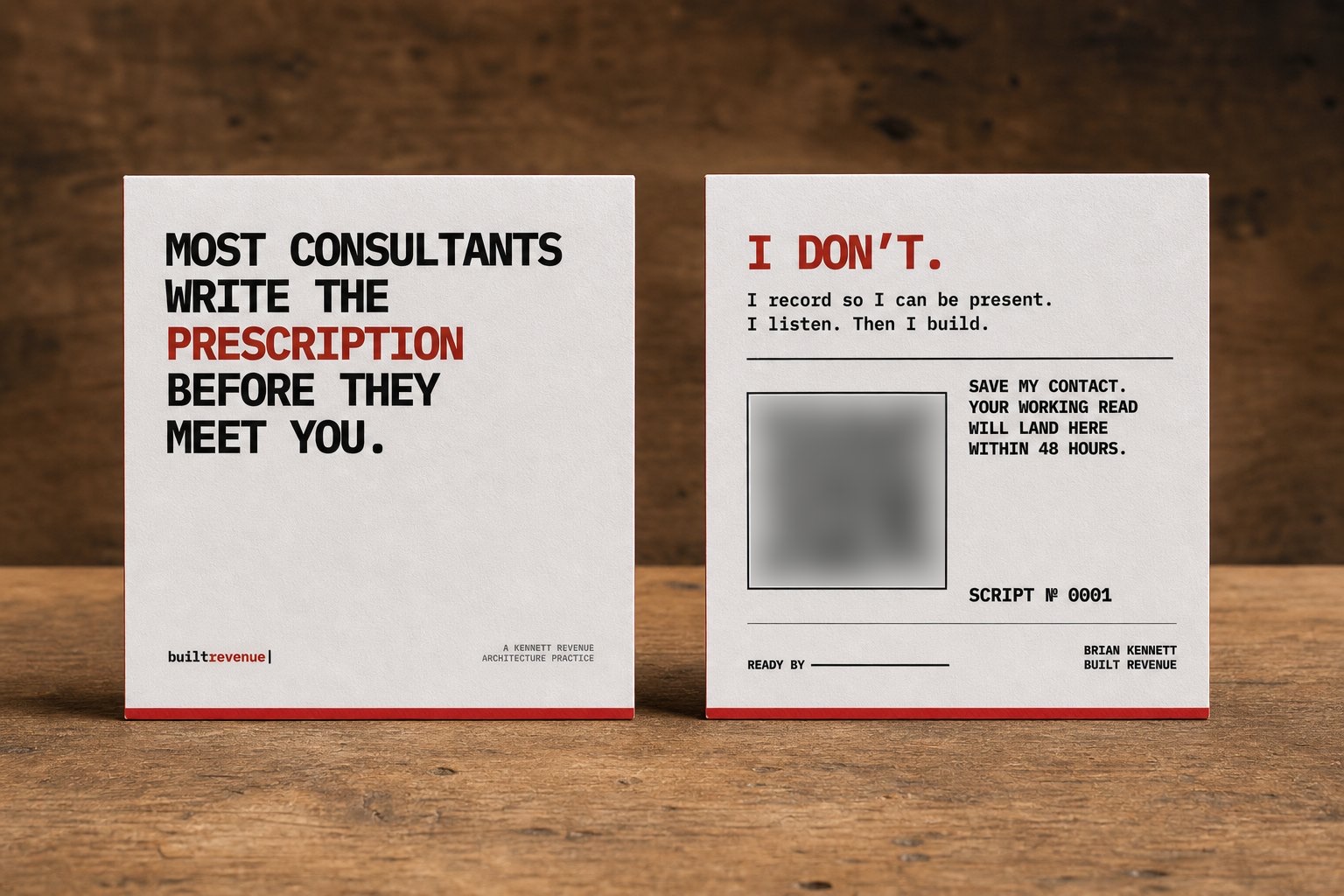
Most consultants write the prescription before they meet you. I record so I can be present, listen, and then build. Within 48 hours, the QR code on the card you’re holding opens a page written for you about what we actually discussed. After my three roundtable sessions at SLC, everyone who sat at my tables had theirs within about four hours. Several people have asked how that works, so here it is, with screenshots from the real software.

The Built Revenue square card. Front: 'Most consultants write the prescription before they meet you.' Back: 'I don't. I record so I can be present. I listen. Then I build.' with a QR code, a script number and a 'Ready by' line.
2.56-inch square · Each card has a QR code that points at its own number (QR blurred here)

The short version

Four steps from handshake to inbox

  1. Meet

    I hand over my card. At a roundtable, people hand me theirs.

  2. Capture

    On my phone: which card, who, and one sentence about them. The recorder captures the conversation.

  3. Draft

    Claude drafts a page for each person from the recording and my notes. It can only link to material I’ve already approved.

  4. Publish

    I edit and approve. One click puts the page live, points their card at it and sends a short email.

The card

The code stays the same. Where it goes changes.

Every card carries its own short code, like builtrevenue.com/s/0007. The printed code never changes, but the server decides where it goes. Before I’ve written anything, it saves my contact details. Once I publish, it opens your page. If a card is retired, it stops working.

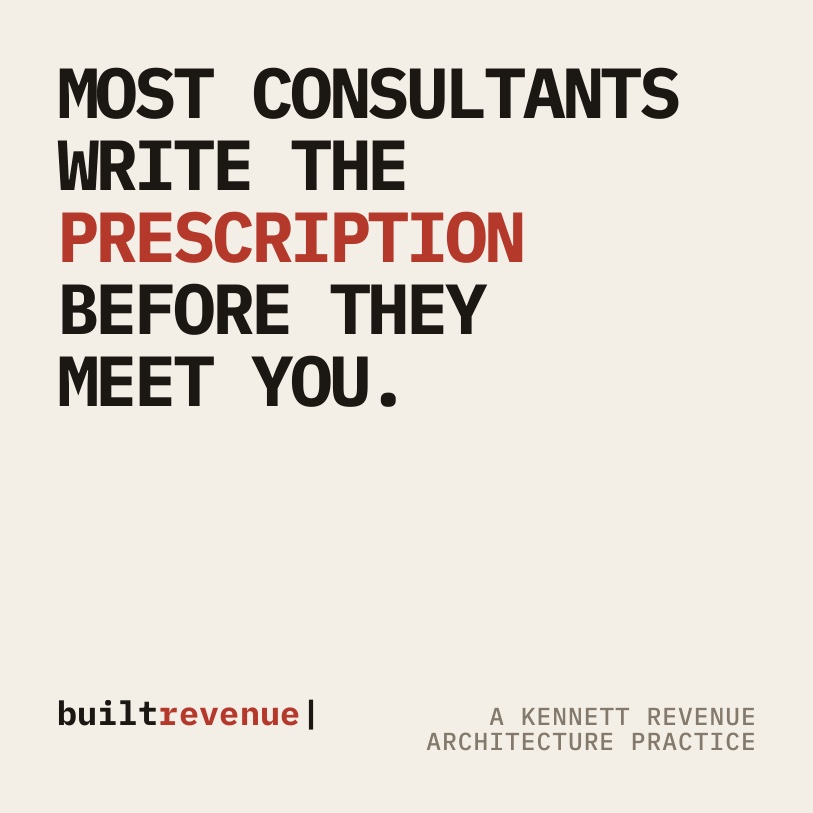
Card front: 'Most consultants write the prescription before they meet you.' with the builtrevenue wordmark.
Front · every cardThe point of view: no prescription before the diagnosis.
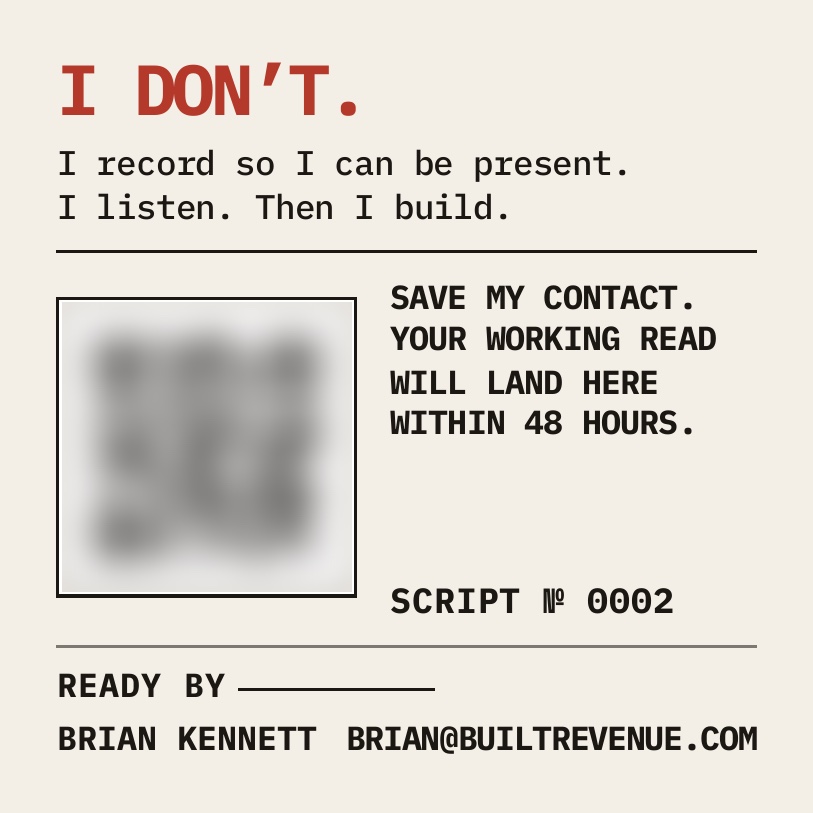
Proposal card back: 'I don't. I record so I can be present. I listen. Then I build.' A blurred QR code, 'Save my contact. Your working read will land here within 48 hours.', Script number 0002 and a 'Ready by' line.
Back · cards 0002–0050The promise. I write the date on “Ready by” as I hand it over.
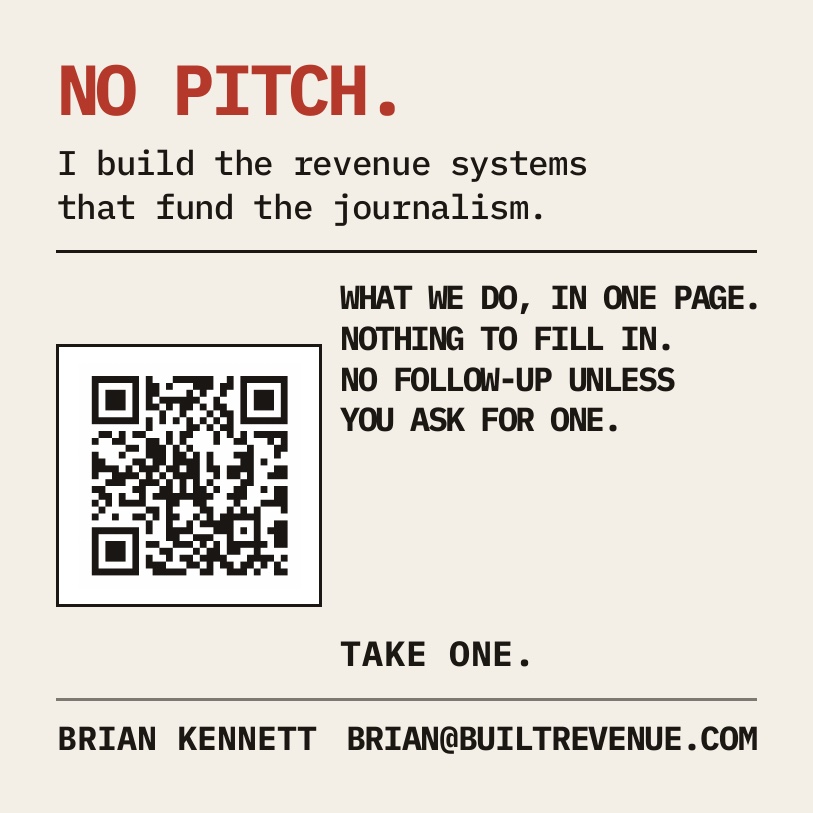
Booth card back: 'No pitch. I build the revenue systems that fund the journalism.' with a QR code to the one-page overview and 'Take one.'
Back · card 0001The booth card stays on the table. It opens a public overview and never a personal page.

Printed by MOO on 32pt uncoated Luxe stock with a Chili Red core. All fifty cards share one front, and each has its own back (MOO calls this Printfinity). The card numbers are addresses, not passwords. Each card can only ever point at a page meant for the person who has it.

Two ways in

One-to-one or a whole table

One-to-one · my card

A hallway conversation

I give someone a numbered card and record the handoff on my phone. Their follow-up page ends up behind the code they already have, so there’s only ever one link for them to keep.

Roundtable · their cards

A table of eight

Guests hand me their own cards. I photograph the stack (several cards per photo is fine), Claude reads the names and titles, and I check them. The table’s notes and recording feed every page. Anyone who gave me an email instead of a card can be added in one line.

Walkthrough

What it looks like, step by step

These screenshots come from the live software. The event, people and publications in them are made up.

Step 1 · On the floor

Capture the handoff in a few taps

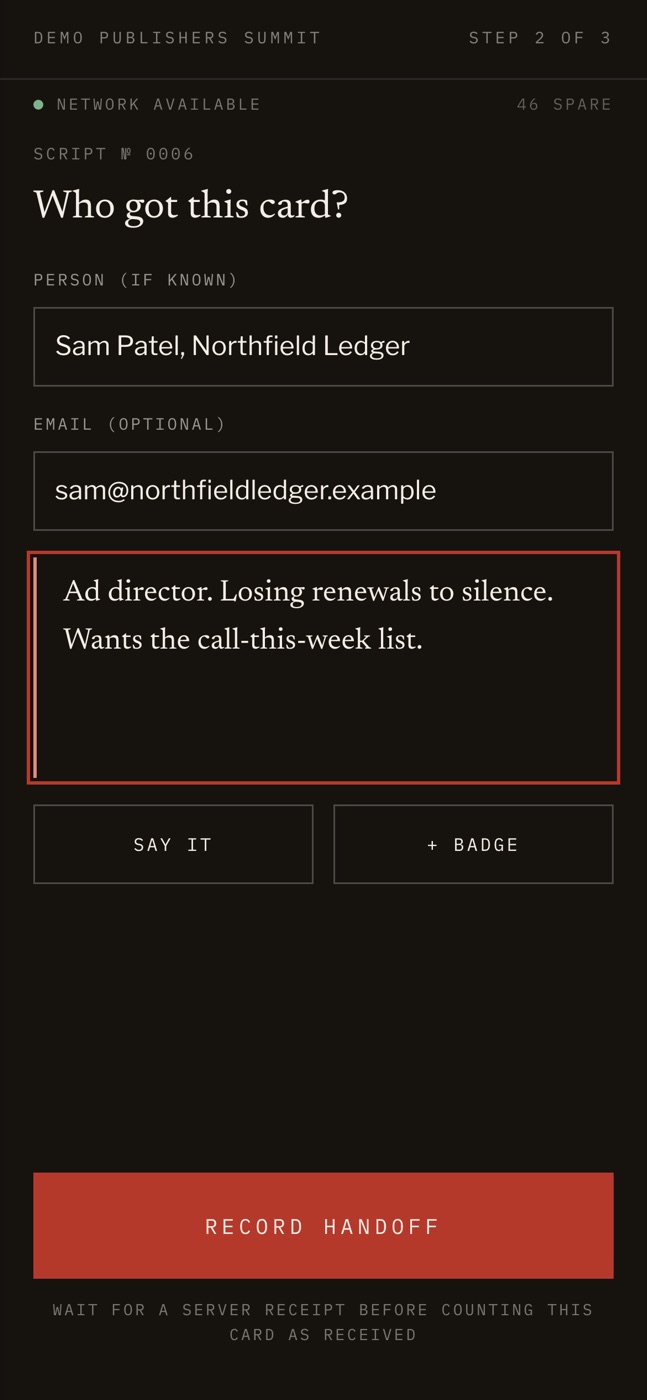
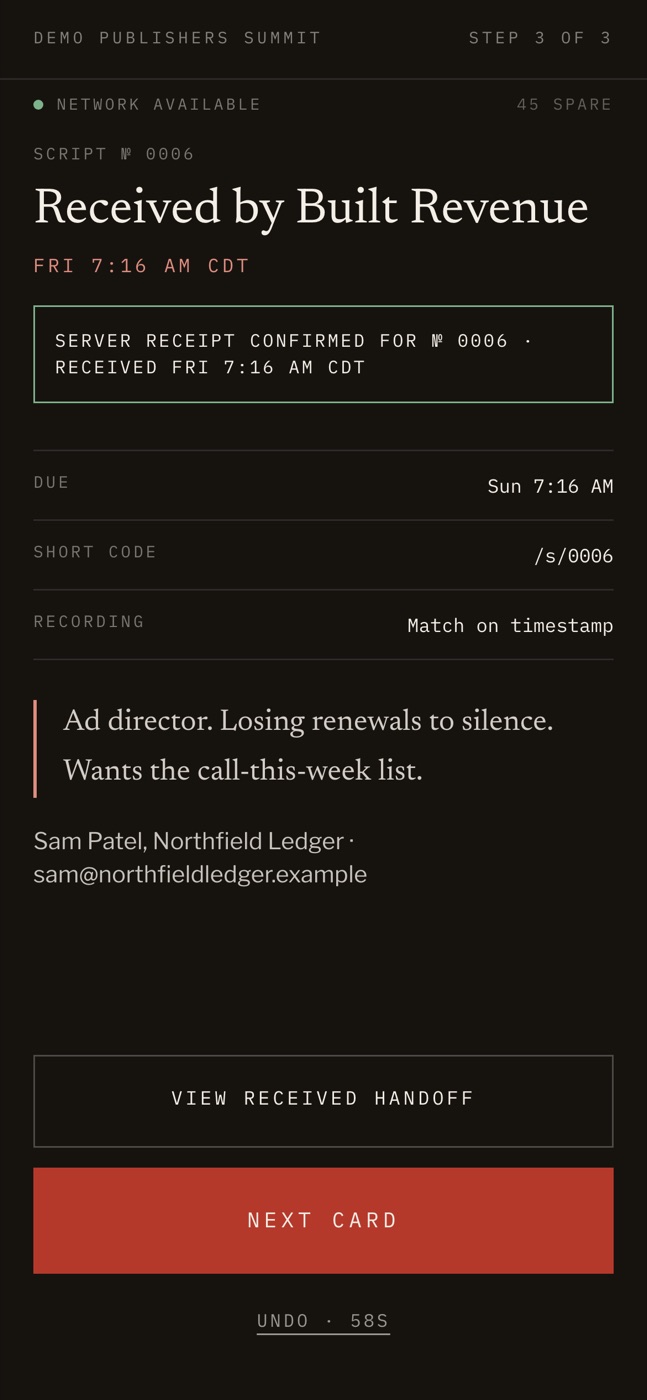
I scan the card I’m handing over, or type its number, add who it went to and one sentence about them, and save. The receipt shows when their page is due.

  • Built for bad conference Wi-Fi. The handoff saves to the phone first and syncs later. It keeps the time of the handshake, not the time the upload finished.
  • Each card can be handed off once. If two phones scan the same card, only one can claim it.
  • I don’t choose a recording on the floor. The timestamp links the handoff to the recording later.
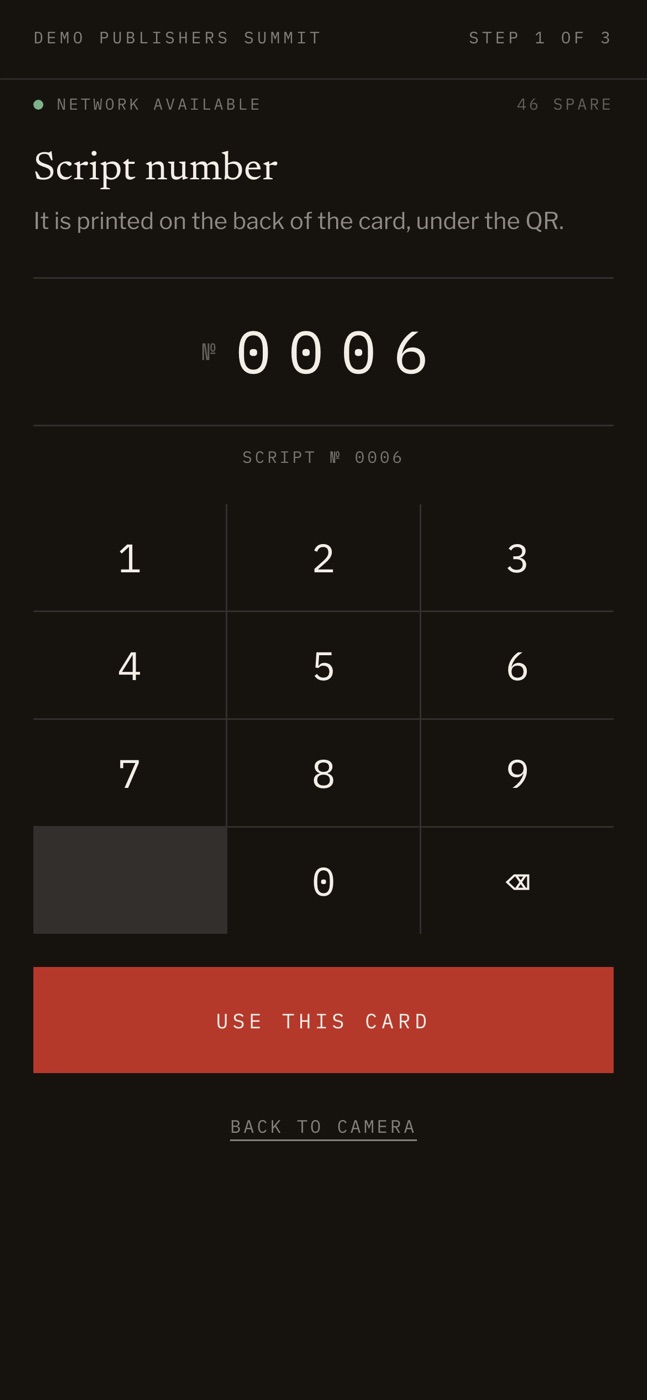
Phone screen: entering script number 0006 on a keypad. Phone screen: 'Who got this card?' with a name, an email and one dictated sentence, and a Record handoff button. Phone screen: 'Received by Built Revenue', with a server receipt, the due time 48 hours later and the card's short code.
Card number → who and what → receipt with the 48-hour due time

Step 2 · That evening

Every handoff has a deadline

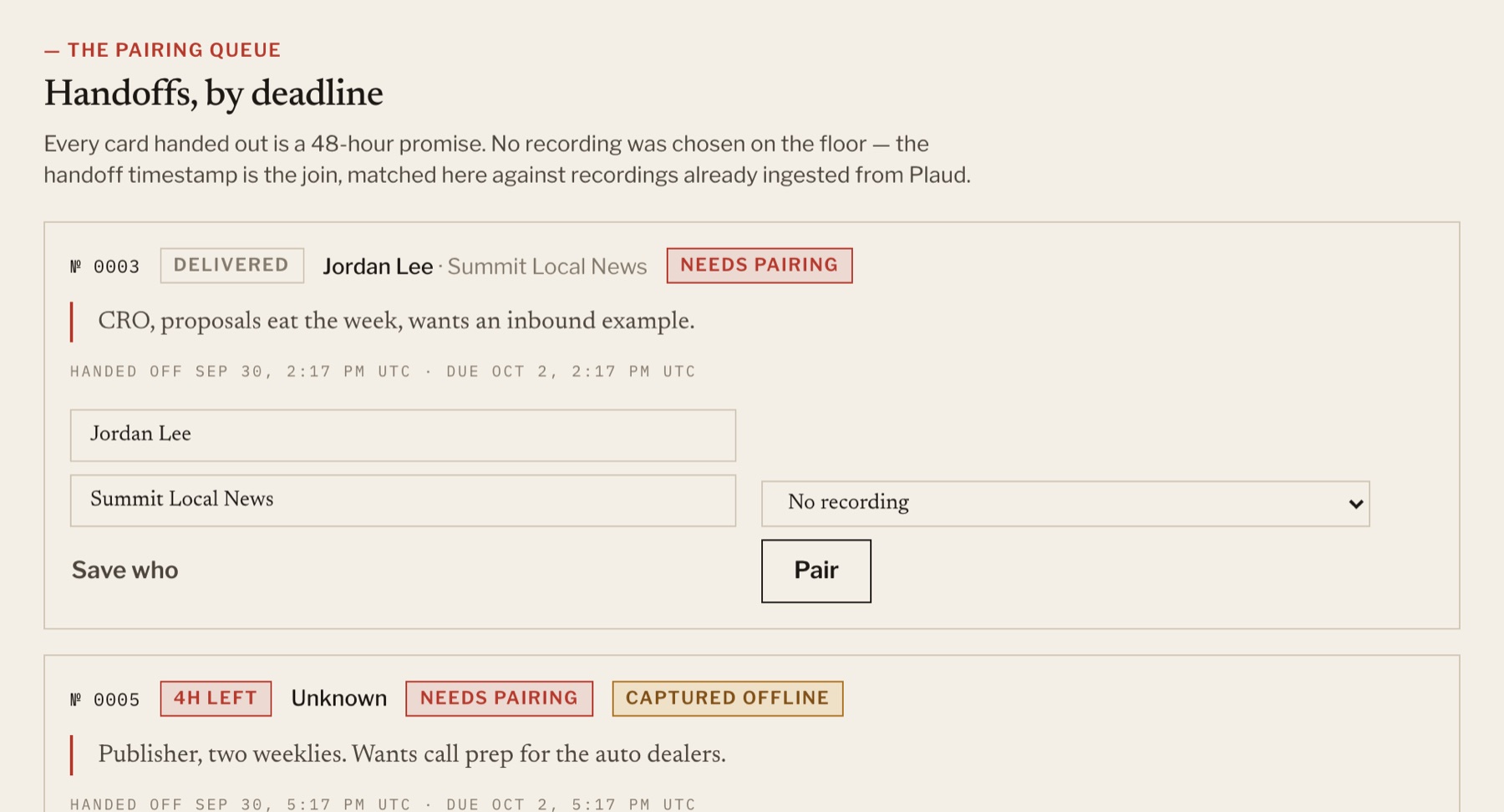
The queue lists handoffs by time left. For each one, it lists the recordings from my Plaud recorder made within three hours either side, closest first, and I pick the right one. The booth card isn’t in the queue because it doesn’t promise anything.

Admin pairing queue: handoffs ordered by deadline, with one card delivered, one with 4 hours left that was captured offline, and recording pairing controls.
Handoff queue, sorted by deadline

Step 3 · The board

One list, one status per person

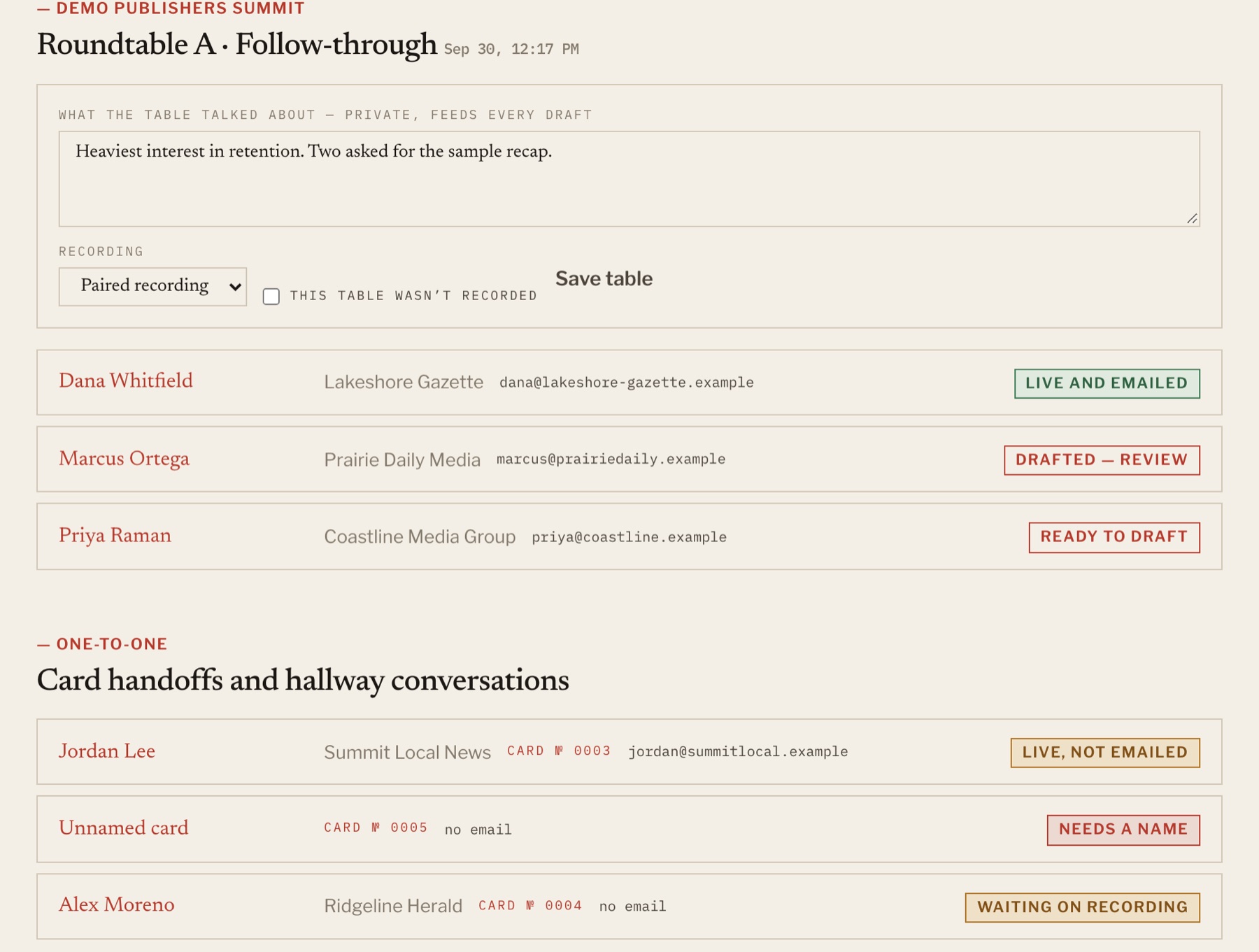
Everyone I met at the event is on one board, grouped by table, with their status: reading their card, waiting on the recording, ready to draft, drafted, live, or live and emailed. Each table has private notes that feed into the draft for everyone who sat at it.

Admin follow-up board: a roundtable with private notes and a paired recording, three people with statuses Live and emailed, Drafted — review and Ready to draft, then one-to-one card handoffs with statuses Live not emailed, Needs a name and Waiting on recording.
Follow-up board for a roundtable and the one-to-one card handoffs

Step 4 · The draft

Drafted from what was actually said

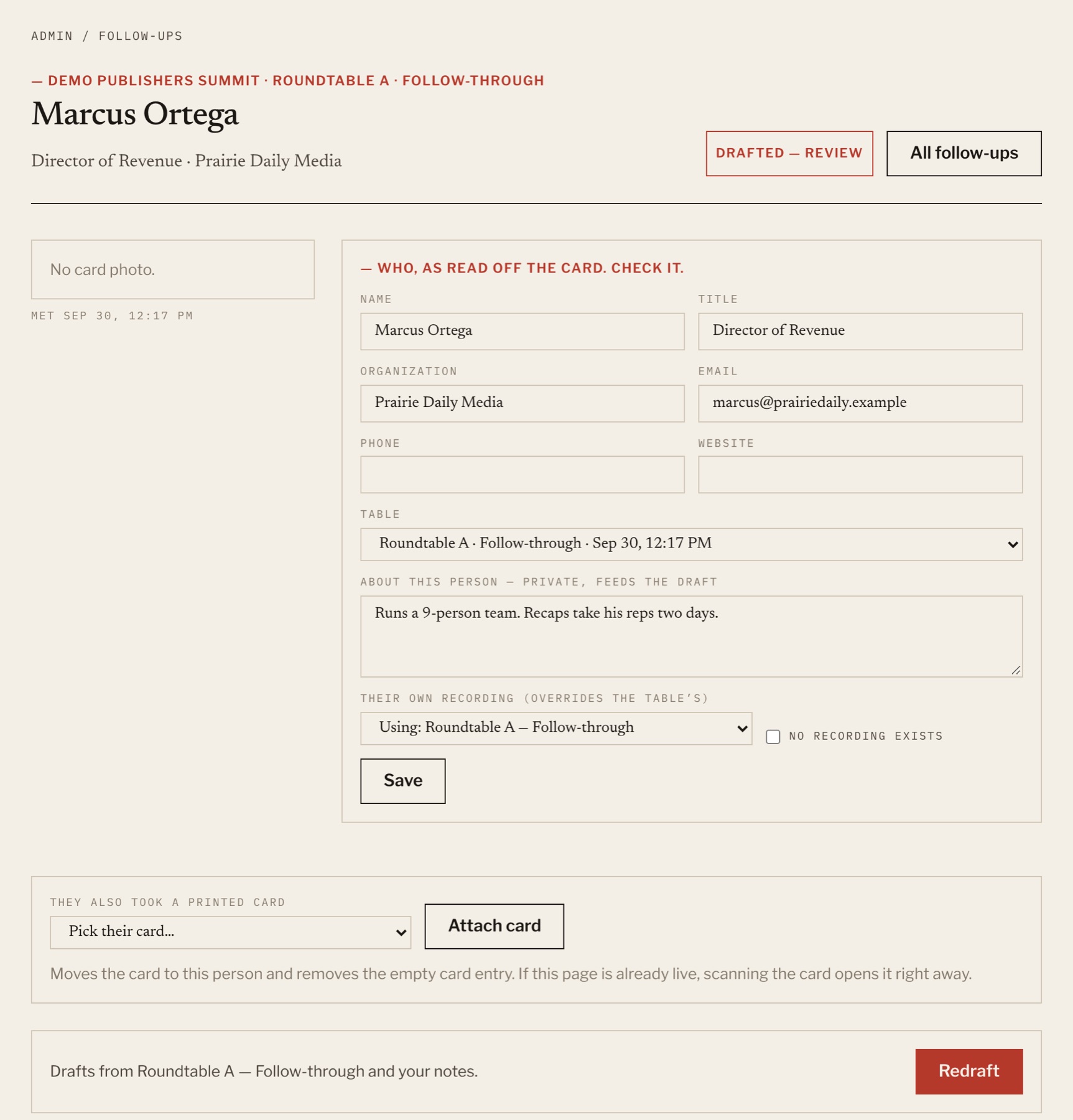
I check the details read off the card, add a private note about the person, and press Draft. Claude reads the full recording (a 90-minute roundtable fits) along with the notes and writes the short sections: what we talked about, what I said I’d send, and a suggested next step.

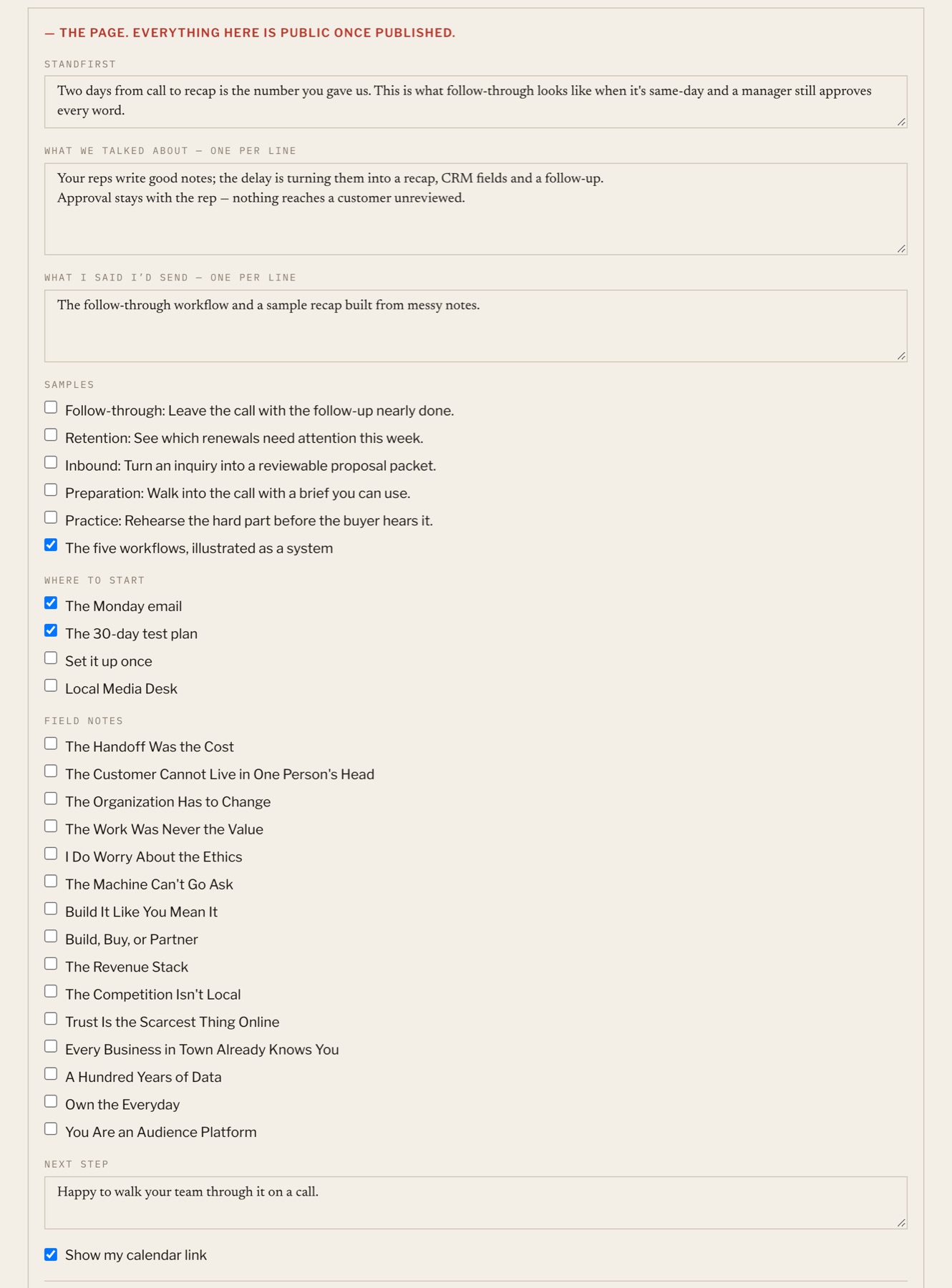
  • Links come from a reviewed library. Claude can only choose from the list it’s given, so it can’t make up a link or a resource.
  • Everything in the page section is public once published. Notes and the recording never are.
Admin detail for one person: name, title, organization and email read off the card, their table, a private note, the recording in use, and a Redraft button.
Details off the card, a private note and the recording to draft from
Admin editor for the public page: standfirst, what we talked about, what I said I'd send, checkboxes for samples, resources and field notes, a next step, and a calendar-link toggle.
The draft, editable line by line, with links picked from the library

Step 5 · Review and send

I approve every word, then one click

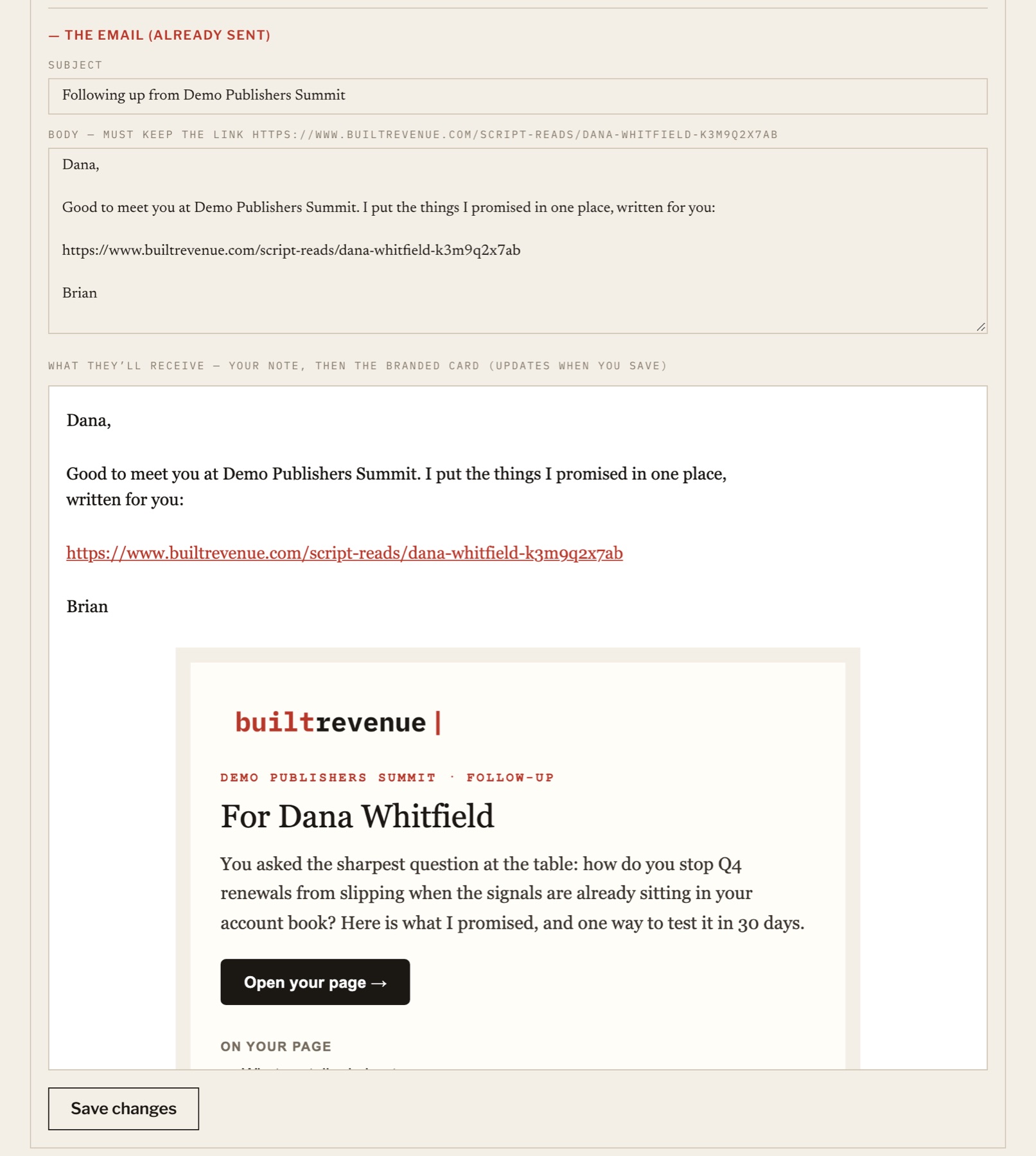
I edit until it sounds like me, then publish. Publishing puts the page live, points their card at it, logs them as a lead and sends the email. The email is a short plain note from me with a branded summary of the page underneath. It goes out once, and replies come straight to me.

Admin email review: subject, plain-text body with the page link, and a live preview of the email with a branded card titled 'For Dana Whitfield' and an 'Open your page' button.
The email preview shows exactly what they’ll receive

Step 6 · What they get

A page written for one person

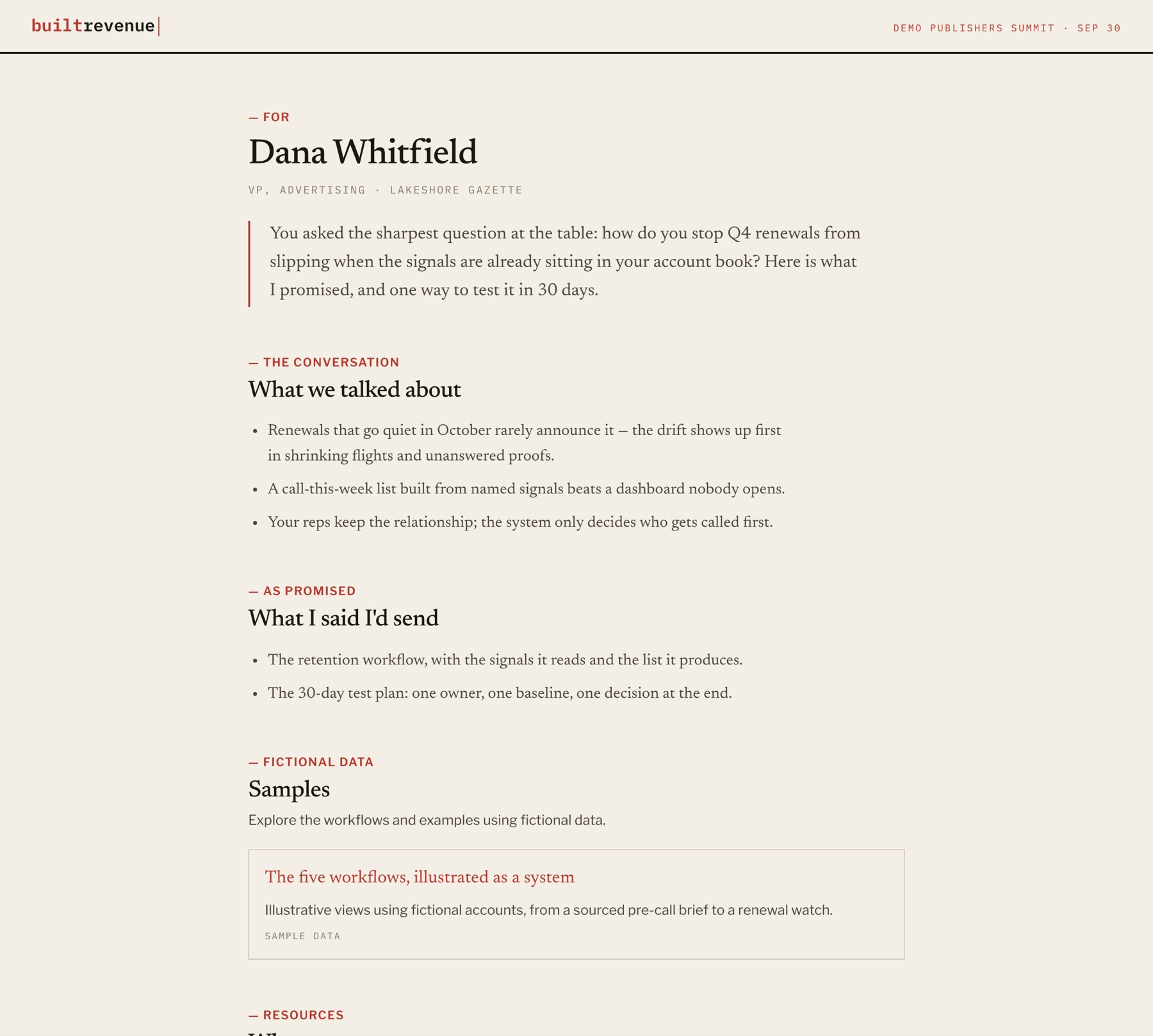
They get one page, written for them, covering what we discussed, what I promised and a next step they can say yes or no to. If they have one of my cards, scanning it now opens the page. Otherwise the email link does.

Public follow-up page for a fictional attendee: 'For Dana Whitfield', a short standfirst, what we talked about, and what I said I'd send.
The page they receive
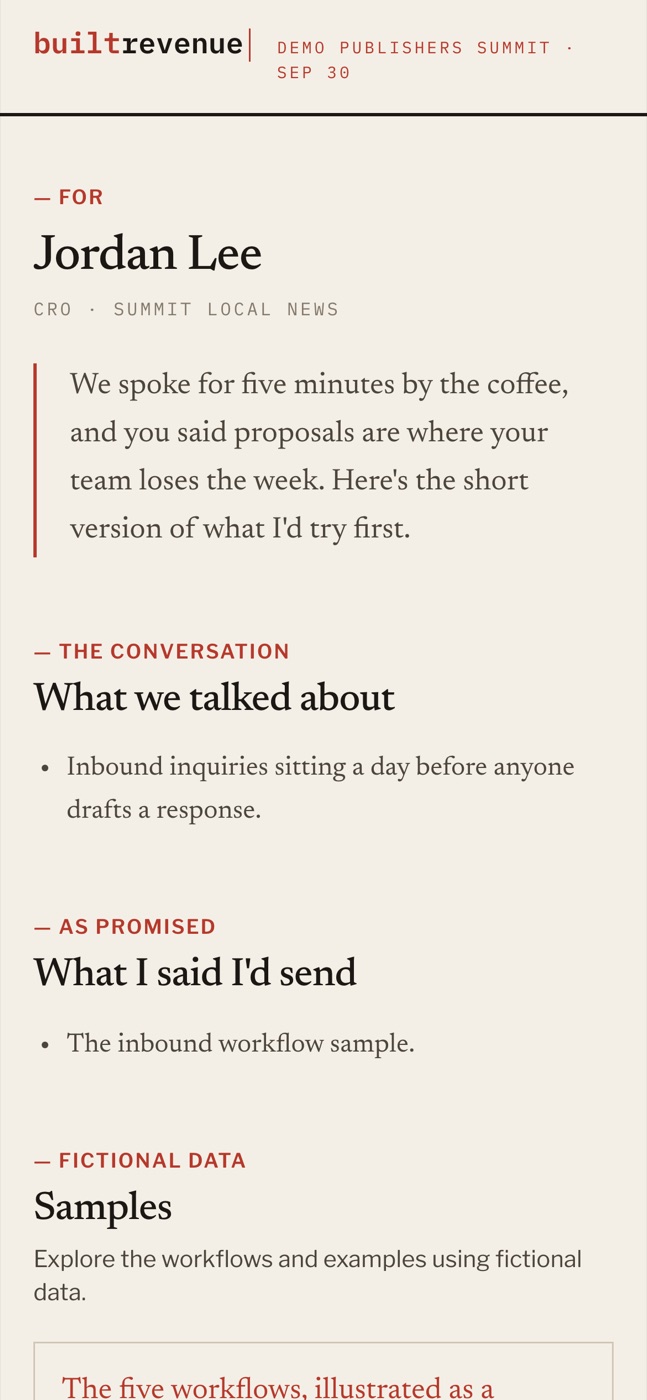
Phone screen after scanning a card: the follow-up page for a fictional attendee, Jordan Lee.
Scanning their card

The rules it runs on

AI drafts. I decide.

A follow-up is only worth sending if it’s accurate and the person feels listened to. These rules are built into the software:

Nothing sends itself

I approve every page and every email. Each email goes out once, and replies come to me.

Private stays private

The recording, my notes and card photos never appear on the page. The page shows only the sections I’ve approved.

No invented links

Claude can only pick links from a library I’ve reviewed. If an entry is removed from the library, it disappears from pages instead of breaking.

One link per person

If you have one of my cards, your page lives behind the code printed on it. You don’t get a second link.

The table card can’t leak

Card 0001 can only open a short list of approved public pages. It can never open a personal follow-up.

Pages can’t be guessed

Each page address ends in a random string, and a page that isn’t published yet looks exactly like one that doesn’t exist.

Under the hood

What it’s built from

  • RecordingA Plaud recorder. Recordings pair with handoffs by timestamp.
  • Reading cardsClaude Sonnet transcribes cards from photos. I confirm before anything is saved.
  • DraftingClaude Opus, with structured output and links limited to the library.
  • Pages and adminA Next.js app on Vercel with Postgres, part of the Built Revenue workspace.
  • EmailSent through Resend from my own address, at most once per person.
  • CardsFifty printed cards, one booth card, and short links that can be pointed somewhere new at any time.

Want this for your team?

Your sales team can follow up like this after every meeting.

The approach scales beyond conferences: capture the conversation, draft from what was said, keep a person approving every word, and send something specific quickly. If you’d like to see how it would fit your team, let’s talk.